
Bungie releases DualSense Edge controller settings for Marathon
Bungie has shared official settings for the DualSense Edge controller tailored for Marathon. These configurations allow players to optimize their gameplay by customizing controls for better aim, movement, and use of abilities.

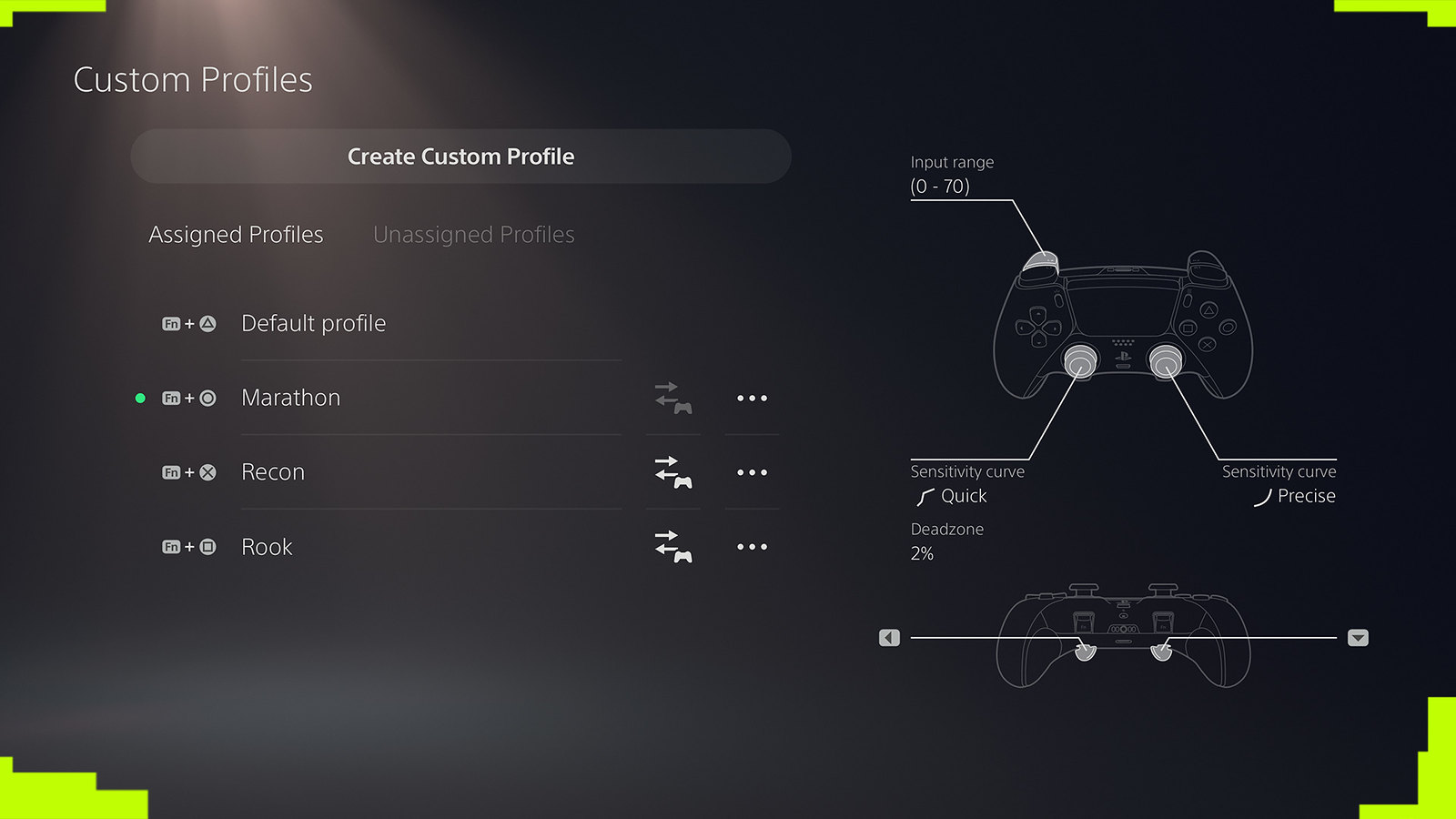
Bungie has unveiled its official recommendations for configuring the DualSense Edge wireless controller for use in its game, Marathon. The game emphasizes precise aiming, but also requires players to focus on healing, utility, movement, communication, and the use of shell abilities. The DualSense Edge controller allows players to customize controls based on their preferred playstyle and save different profiles for various shells and loadouts.
The default settings in Marathon provide a solid foundation, enhanced by options for different button presses. For many players, maintaining these default settings and using the DualSense Edge controller to bring critical actions closer can be beneficial.
Button Remapping
In typical shooting games, players often map jump and reload functions to back buttons to keep their thumbs on the sticks. However, in Marathon, it is more effective to assign these back buttons to the consumable and equipment radials. This adjustment allows for quick access to essential survival tools without disrupting aim and movement.
Trigger Adjustments
The DualSense Edge controller offers physical trigger stop sliders and customizable trigger input ranges. In Marathon, most weapons do not require full trigger travel to fire, so setting the R2 trigger to a medium stop can enhance the speed and control of shots, particularly with semi-automatic weapons. Players seeking a more responsive feel might opt for a short trigger stop. Adjusting the L2 trigger input range from 0 to 70 can make aiming down sights more immediate.
Aim and Sensitivity Settings
Marathon includes a robust set of in-game aim curves and sensitivity settings, with the Classic curve as a standard. Players are encouraged to refine their setups using the DualSense Edge controller. Custom stick sensitivity, sensitivity curve, and deadzone settings can be tailored to individual preferences.
The controller offers six stick sensitivity curves. A recommended setup for Marathon is the Precise curve on the right stick and the Quick curve on the left stick. This combination allows for controlled aiming and rapid movement.
Profile Customization for Different Shells
Players can store up to three custom profiles on the DualSense Edge controller. Bungie suggests specific configurations for each Runner Shell, such as mapping jump to a back button for the Destroyer shell or mapping crouch for stealth in the Assassin shell.
Overall, the ability to customize the DualSense Edge controller offers players a strategic advantage in Marathon. The game is currently available for players eager to explore and optimize their gameplay on Tau Ceti IV.